![spl-siana-imagotype-color.svg]](https://help.spalopia.app/hubfs/spl-siana-imagotype-color.svg)
To access the back office with your user account, you must first reset your password:
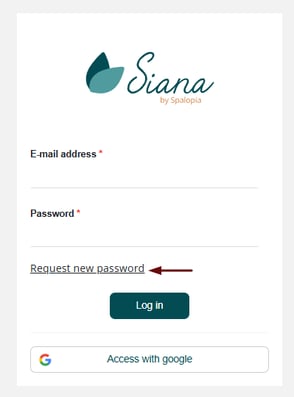
- Access the link we sent you.
- Click Request a new password.
- Enter the confirmed user email.
- You will receive an email with the instructions to reset your password.
⚠️Warning
These steps are only valid for users created with a real email (example: @yourspa.com, @gmail.com, etc.).
✉️ Support
If your user has been created only as an access user (example: @spalopia.com), you must write to soporte@spalopia.com so we can indicate the steps to follow.
📩 If you have any questions during the process, please write to soporte@spalopia.com